
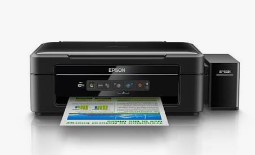
Epson L365 Printer Resetter Tool: The Complete Waste Ink Counter Reset Solution
Understanding the Waste Ink Counter Problem
Epson L365 Resetter Tool Working and download, Your Epson L365 printer has suddenly stopped working and displays the frustrating message: “Service Required: A printer’s ink pad is at the end of its service life”. This occurs when your printer’s internal waste ink counter reaches its maximum limit. The good news? You can resolve this issue yourself using an Epson L365 resetter tool, saving you time and money on professional repairs.
What is the Epson L365 Resetter Tool?
The official Epson L365 Adjustment Program (commonly called a resetter tool) is specialized software that:
✔ Resets the printer’s internal waste ink counter
✔ Clears service error messages
✔ Restores full printing functionality
✔ Extends your printer’s usable life
Important Note: This is a software solution – it doesn’t replace the physical ink pad, which may eventually need replacement.
Step-by-Step Reset Guide
Before You Begin:
- Ensure your Epson L365 is connected via USB
- Download the resetter tool from a trusted source
- Disable antivirus temporarily (may flag the tool as false positive)
Reset Process:
- Download the Epson L365 resetter tool package
- Extract the ZIP file (common password: “epson” or “reset”)
- Connect your printer and turn it on
- Run the software as Administrator
- Select “Particular Adjustment Mode”
- Choose “Waste Ink Pad Counter”
- Click “Check” to view current counter status
- Press “Reset” to clear the counter
- Power cycle your printer (turn off/on)
- Perform a nozzle check to verify operation
Pro Tip: After resetting, consider reducing cleaning cycles to minimize future waste ink accumulation.
Where to Download the Resetter Tool Safely
⚠ Critical Security Warning: Many fake reset tools contain malware. Only download from:
✅ Official Epson service providers
✅ Reputable tech forums (PrinterKnowledge, FixYourPrinter)
✅ Trusted software sites (WIC Reset)
Search for: “Epson L365 Adjustment Program” or “WIC Reset Epson L365”
Alternative Solutions When Resetting Isn’t Enough
1. Physical Waste Ink Pad Maintenance
If resetting doesn’t solve the problem:
- Open the printer casing (refer to service manual)
- Locate the waste ink absorption pads
- Either:
- Replace with new pads ($10-$15 online)
- Clean existing pads (temporary solution)
2. Professional Service Options
For warranty printers or complex issues:
- Epson authorized service centers
- Local printer repair specialists
- On-site technical support
Essential Maintenance Tips
To prevent frequent waste ink issues:
- Use manual head cleaning instead of automatic deep cleaning
- Print regularly (at least weekly) to prevent clogging
- Consider installing an external waste ink tank
- Always use genuine Epson ink for optimal performance
- Monitor your printer’s waste ink levels periodically
Frequently Asked Questions
Q: How many times can I reset the counter?
A: Technically unlimited, but physical maintenance will eventually be needed.
Q: Will resetting void my warranty?
A: Yes, for printers still under warranty. Consider professional service instead.
Q: Can I use this on Mac?
A: Most reset tools are Windows-only. Mac users may need Boot Camp or virtualization.
Q: The reset worked but error returned quickly – why?
A: Your waste ink pads are likely saturated and need replacement.
Troubleshooting Common Issues
❌ Software won’t detect printer
- Try different USB ports/cables
- Reinstall printer drivers
- Restart both computer and printer
❌ Reset option is grayed out
- Ensure printer is in service mode
- Try different adjustment program version
❌ Error during reset process
- Disable firewall/antivirus temporarily
- Run as Administrator
- Try on different Windows computer
Conclusion: Making an Informed Decision
While the Epson L365 resetter tool provides an effective solution, remember:
- It’s a temporary measure – physical maintenance will be needed eventually
- Regular care significantly extends your printer’s lifespan
- For complex issues, professional service is recommended
Found this guide helpful? Share your reset experience below to help other Epson L365 users! 🖨️🔧
Epson L365 resetter tool free download
How to reset Epson L365 waste ink counter
Epson L365 adjustment program
WIC reset Epson L365
Epson L365 service required fix
Epson printer reset software
Epson L365 ink pad replacement
Epson L365 maintenance reset
Epson waste ink pad reset
Epson L365 error reset
Epson L365 reset key
Epson L365 resetter password
Epson L365 service tool
Epson L365 reset software
Epson L365 resetter exe
Epson L365 waste ink counter reset
Epson L365 service mode
Epson L365 reset utility
Epson L365 printer repair
Epson L365 troubleshooting guide
মসজিদ এর ডিজিটাল ঘড়ি কিনতে এখানে ক্রিক করুন

ওয়াটার পাম্প কন্টোলার কিনতে এখানে ক্রিক করুন
আমারা দিচ্ছি নিজেদের কারখানায় উৎপাদিত, উৎকৃষ্ট মালামাল দ্বার তৈরি গ্যারান্টি সহ সকল ধরনের ডিজিটাল ঘড়ি, এল ই ডি টিভি বিলবোর্ড ডিসপ্লে, মেসেজ ডিসপ্লে।
Outdoor Digital Clock install Jessore Cantonment
Outdoor Digital Clock install Dhaka Cantonment
250 inch LED Tv Billboard install kumarpara, Rajshahi
Epson printer Red light problem Full VIdeo Link With All Error Solve : Link