
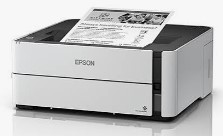
Epson M1140 Resetter Tool: A Detailed Guide on How It Works
Epson M1140 adjustment program Download. The Epson EcoTank M1140 is a monochrome printer celebrated for its cost-efficiency and high page yield. However, like many modern printers, it includes a built-in safety feature: a waste ink counter. Over time, this counter fills up and triggers a “Service Required” error, halting your printing. Here’s what you need to know about the resetter tool that can fix this.
Understanding the Waste Ink Counter
The Epson M1140 utilizes a waste ink pad to absorb excess ink from print head cleaning and maintenance cycles. A software counter tracks the estimated saturation level of this pad. When this counter reaches a predetermined limit, the printer locks itself to prevent potential ink overflow and internal damage.
You’ll know you’ve hit this limit when you see error messages like “Service Required,” “A printer’s ink pad is at the end of its service life,” or when the power and error lights on your printer begin to flash alternately.
How Does a Resetter Work?
A resetter tool, often referred to as an Adjustment Program, is specialized software designed to reset the printer’s internal waste ink counter back to zero. It communicates directly with the printer’s firmware through a USB connection to clear the error code and restore normal operation.
Epson M1140 adjustment program Download
⚠️ Crucial Distinction: This is a software reset that only clears the counter. The physical waste ink pad is still saturated. Without eventual physical maintenance or replacement, performing repeated resets can lead to actual ink leaks that may severely damage your printer.
Step-by-Step Guide to Using the Resetter Tool
The process of resetting an Epson M1140 typically involves the following steps:
1. Preparation
Before you start, ensure the printer is connected to your Windows PC via a USB cable. A network connection is not supported for this process. You may also need to temporarily disable any active antivirus software on your computer, as it can sometimes falsely identify the reset tool as a threat. Epson M1140 adjustment program Download
2. Running the Adjustment Program
Once your system is ready, locate the Adjustment Program executable file (often named AdjProg.exe) and run it as administrator. On the program’s main screen, select the correct model (M1140 Series) and the appropriate Port for your USB connection, then click OK.
3. Accessing the Waste Ink Counter
In the main interface, click the Particular Adjustment Mode button. From the list of functions, select Waste Ink Pad Counter and click OK.
4. Checking and Resetting the Counter
A new window will open. To see the current value, select the relevant checkboxes (like “Main Pad Counter” and “Platen Pad Counter”) and click the Check button. The program will display the usage percentage. To reset it, check the boxes again and click the Initialize button.
5. Finalizing the Process
After a brief wait, the program will confirm the reset is complete. You can now close the software, turn off your printer, wait a few seconds, and restart it. The printer should now function normally. Epson M1140 adjustment program Download
Choosing the Right Resetter Tool
Several types of resetter tools are available for the Epson M1140, each with its own approach.
- Adjustment Program (Epson EPIL): This is the official service tool and offers a wide range of maintenance functions. However, a paid version from a third-party provider, costing around $19.99, is commonly used. For the M1140, this program might use a maintenance box with a chip that is reset separately, rather than resetting the main counter directly.
- WIC Reset Utility: This is a well-known commercial utility that supports resetting the waste ink counters on the M1140. It works through a system where you pay a fee to get a reset key.
- Free Tools: You might find free versions of the Epson Adjustment Program, but always use them cautiously as they may be outdated or unreliable.
follow manufacturer guidelines and use at your own risk.
মসজিদ এর ডিজিটাল ঘড়ি কিনতে এখানে ক্রিক করুন

অটোমেটিক ওয়াটার পাম্প কন্টোলার কিনতে এখানে ক্লিক করুন
আমারা দিচ্ছি নিজেদের কারখানায় উৎপাদিত, উৎকৃষ্ট মালামাল দ্বার তৈরি গ্যারান্টি সহ সকল ধরনের ডিজিটাল ঘড়ি, এল ই ডি টিভি বিলবোর্ড ডিসপ্লে, মেসেজ ডিসপ্লে।
Outdoor Digital Clock install Jessore Cantonment
Outdoor Digital Clock install Dhaka Cantonment
250 inch LED Tv Billboard install kumarpara, Rajshahi
Epson printer Red light problem Full VIdeo Link With All Error Solve : Link
আমাদের কাছে যে যে মডেলের রিসেট টোলস আছে
L100
L110 L210 L300 L350 L355
L130 L220 L310 L360 L365
Epson L380 L383 L385 L485 (ECC) + Keygen
L380
L800
L805
L1210-L1211-L1216-L1250-L1251-L1256-L3210-L3211-L3216-L3250-L3251-L3256-L5290-L5296
L1218 L1258 L1259 L3218 L3219 L3251 L3253 L3255 L3256 L3258 L3266 L3267 L3268 L3269 L5298
L1300
L1800
L3110
Epson L565 (ESP-EPIL)
L1210 L3210 L3250 L3251 L3260 L5290
Reset Epson L3118 L3119
Epson L3050 L3070 (ERO)
Epson L3160 (ECC)
Epson L3550 L3556 L5590 (ESP)
Reset_Epson_L3110
M200
M201
M205
Epson L455 (ECC)
Epson L565 (ESP-EPIL)
Epson L655 (ESP)
Epson L11050 Adjustment Program
Epson L14150 L14158 Adjustment Program
Epson M105 M205 (EAI-LATIN)
Epson_L3100_L3101_L3110_L3150__EPIL____Keygen
L550-L555
Reset_Epson_L4260_L4261_L4267
Epson ET-4550
Reset_Epson_L5190
L6160-L6170-L6190
L6260_L6270_L6290
Reset EPSON L8050 (ESP)
Reset Epson L15150 L11160 WF-7830
RESET EPSON L15160_L15180
Reset Epson M1140 M1170 M1180 M2140 M2170 M3140 M3170 M3180
Epson M100 M101 M105 (ECC)
Epson M1140 1170 1180 2140 2170 3140 3170 3180
Reset_Epson_M1100_M1120(V10)
Epson PX730DW Adjustment Program
R270 by OrTHoTaMiNe
Reset Epson 1500W
Reset_Epson_WF3720
TX300F